.png)
How to Use AI Insights Summaries (Program-Level Report)
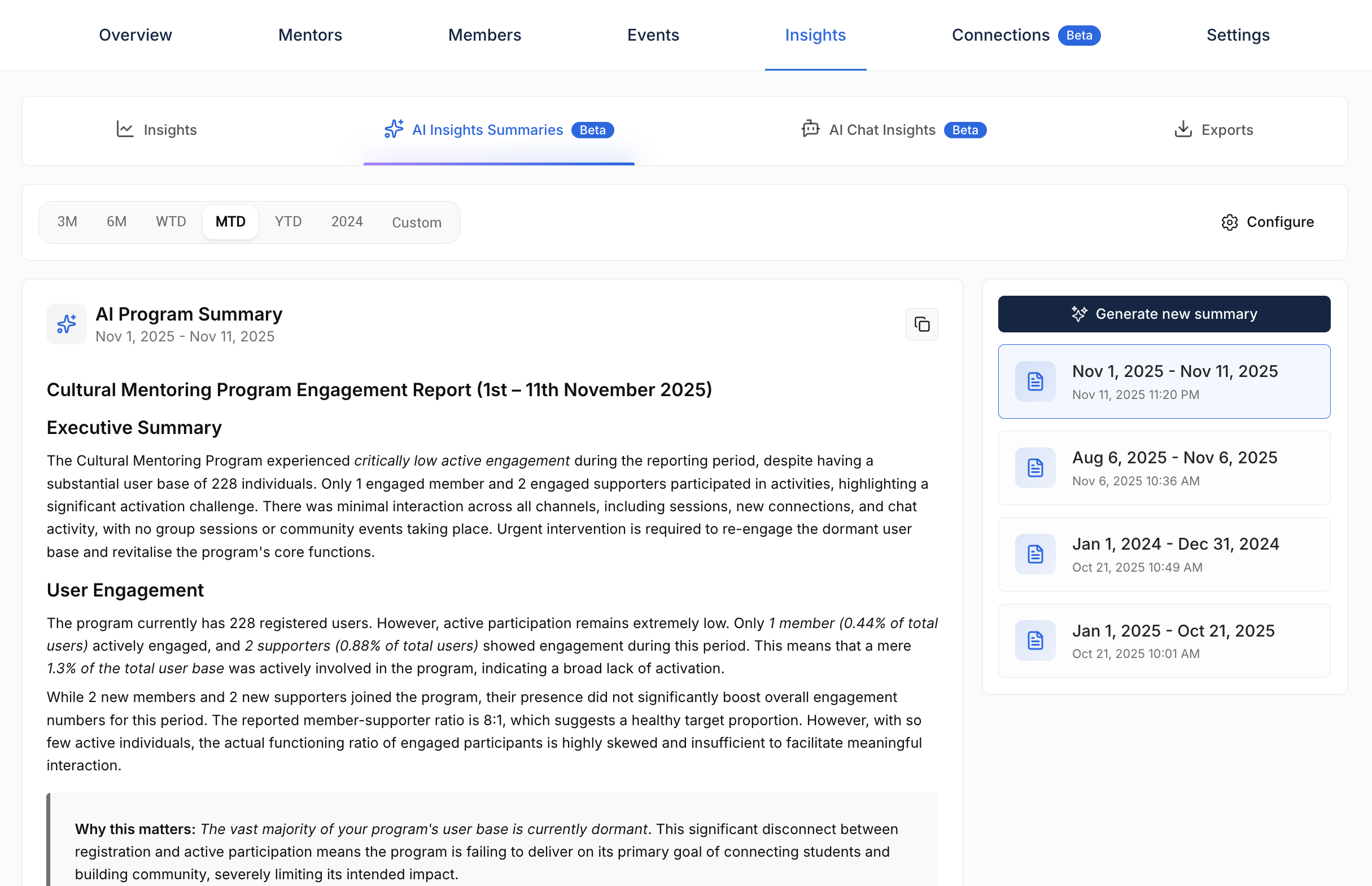
The AI Insights Summaries feature provides an AI-generated summary of your program’s engagement and activity data. It’s designed to help program administrators identify trends, measure performance, and uncover opportunities for improvement.
In-chat translation is only available to institutions with Vygo’s AI package. This feature must be enabled by the platform owner at your university. If you're unsure whether this feature is active for your institution, please contact your Vygo Partner Success Manager.
What Is the AI Insights Summaries Report?
This feature analyses program activity data, including user engagement, events, sessions, and communication patterns, and produces a structured report highlighting:
- Engagement metrics
- Communication trends
- Key patterns over time
- Actionable recommendations
How to Generate an AI Insights Summary
- Go to Your Program: Navigate to the program you want to analyse.
-
Open the Insights Tab: Scroll to the AI Insights Summaries section.
Select Date Range: Choose the time frame for the report.
Configure Context (Optional):
- Click Configure to open AI Settings.
- Add context for the AI to understand your program better. Example: If your program is events-based, note that it should not expect private sessions.
- Generate Summary: Click Generate New Summary. The AI will create a detailed report based on your program’s Insights Dashboard data.
What’s Included in the Report?
The summary includes the following sections:
- Program Overview
- User Engagement
- Sessions and Events
- Communication Patterns
- Key Trends
- Recommended Actions
These are based on real usage metrics, that are visible on the Insights dashboard:
- Number of users
- Session and event attendance
- Engagement across features
Important Notes
- This feature is currently in beta. While the summaries are useful, they may not always be perfectly accurate.
- AI-generated insights may not fully reflect the context or intent of your specific program.
- Please review summaries critically, and use the thumbs up/down feedback tool to help us improve the feature over time.
If you have questions or need assistance, contact your Vygo Partner Success Manager.