.png)
What are invite-only programs?
What are Invite-only Programs?
Invite-only Programs allow administrators to restrict access to specific programs so that only invited users can view and join them. When a program is marked as private, it will no longer appear in the program directory or search results for users who have not been invited.
This feature is designed for programs that require controlled participation, such as:
- Supporter training programs
- Pre-arrival programs
- Leadership cohorts
- Career mentoring initiatives
- Specialised support groups
Once enabled, invited users can access the program directly through their invitation and accept the invite from within the platform.
How Invite-only Programs Work
When a program is set to Private:
- Only invited users can:
- View the program
- Access program content
- Join the program
- Participate in related activities
- Users who are not invited:
- Cannot search for the program
- Cannot access the program via direct links
- Will receive an access restriction message if attempting to open the program
Program invitations remain the primary way users gain access to these programs.
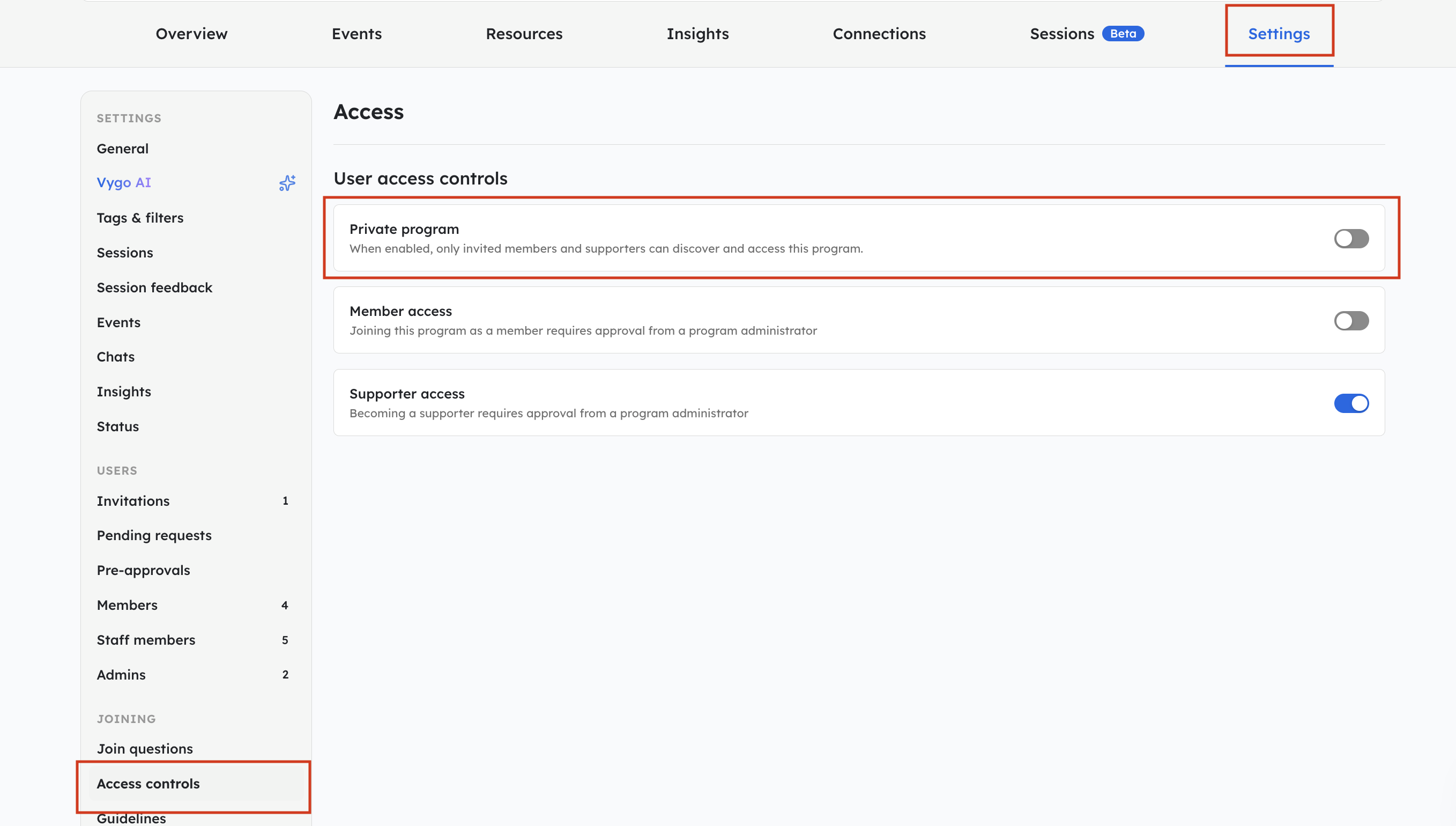
How to Make a Program Invite-only
- Navigate to the relevant Program
- Open the program’s Settings
- Go to Access Controls
- Change the program visibility setting to Private
- Save your changes
Once enabled, the program becomes invite-only immediately.
Inviting Users to a Private Program
Users must be invited before they can access a private program.
After sending an invitation:
- The invited user will receive a notification and/or email invite
- The program will appear in their Programs page
- They can accept the invitation directly within the platform
For more information on sending invitations, see:
“How do you invite students to the Vygo Platform?”